
 Port on the Ambient Lockit box5-pin port (Lemo-compatible)Port on the audio recorder5-pin port (Lemo-compatible)

Matching Ambient cable for the Sound Devices 664: TC-IO (port on the audio recorder: 5-pin port (Lemo-compatible)). For Sync (Genlock/Wordclock): SYNC-OUT (port on the audio recorder: BNC).
Also applies to: Sound Devices 788T, Sound Devices 788T-SSD, Sound Devices 744T, Sound Devices 702T, Sound Devices 633, Sound Devices 688
Step-by-step guideAmbient FAQ · 6-Series (688, 633, 664)Port on the Ambient Lockit box5-pin port (Lemo-compatible)Port on the audio recorder5-pin port (Lemo-compatible) Port on the Ambient Lockit box5-pin port (Lemo-compatible)
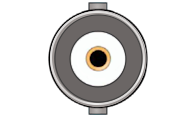 Port on the audio recorderBNC
Sync Cable PushPull-5-pin (Lemo-compatible) to BNC
Only needed if you use sync. Requires a Lockit (ACN-CL), LockitBT (ACN-LB) or Lockit+.
View in shopIn TX Mode your sound recorder, studio clock or DAW interface is the master: your Lockit box takes over its timecode and works as a bridge. This requires your device to output timecode on this port. Check its manual. How TX Mode works
Port on the audio recorder5-pin port (Lemo-compatible)Port on the Ambient Lockit box5-pin port (Lemo-compatible)| Cable | Lockit | LockitBT | Lockit+ | NanoLockit |
|---|---|---|---|---|
| TC-IO | ACN port Red sleeve | TC/DATA port Red sleeve | ACN port, front left (blue marking) Red sleeve | 5-pin port on top Red sleeve |
| SYNC-OUT | SYNC port Yellow sleeve | TC/SYNC port Yellow sleeve | SYNC port, front right (yellow marking) Yellow sleeve | – |
| TC-IO (TX Mode) | ACN port Green sleeve | TC/DATA port Green sleeve | ACN port, front left (blue marking) Green sleeve | 5-pin port on top Green sleeve |