
 Port on the Ambient Lockit box5-pin port (Lemo-compatible)Port on the audio recorder5-pin port (Lemo-compatible)

Matching Ambient cable for the Sound Devices PIX 220(i): TC-IO (port on the audio recorder: 5-pin port (Lemo-compatible)) or LTC-OUT (port on the audio recorder: BNC).
Also applies to: Sound Devices PIX 240(i)
Port on the Ambient Lockit box5-pin port (Lemo-compatible)Port on the audio recorder5-pin port (Lemo-compatible) Port on the Ambient Lockit box5-pin port (Lemo-compatible)
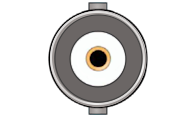 Port on the audio recorderBNC
Timecode Cable PushPull-5-pin (Lemo-compatible) to BNC
View in shopRight-angled (BNC 90°). The clock position is the direction of the cable exit, seen from behind the plugged-in connector, red dot at the top.
Depending on the port: pick one of the two cables.
The Sound Devices PIX 220 and Sound Devices PIX 240 have both a 5-pin port (Lemo-compatible) and a BNC connector for LTC in.
In TX Mode your sound recorder, studio clock or DAW interface is the master: your Lockit box takes over its timecode and works as a bridge. This requires your device to output timecode on this port. Check its manual. How TX Mode works
Port on the audio recorder5-pin port (Lemo-compatible)Port on the Ambient Lockit box5-pin port (Lemo-compatible) Port on the audio recorderBNCPort on the Ambient Lockit box5-pin port (Lemo-compatible)
Timecode Cable BNC to PushPull-5-pin (Lemo-compatible)
View in shopRight-angled (BNC 90°). The clock position is the direction of the cable exit, seen from behind the plugged-in connector, red dot at the top.
Depending on the port: pick one of the two cables.
| Cable | Lockit | LockitBT | Lockit+ | NanoLockit |
|---|---|---|---|---|
| TC-IO | ACN port Red sleeve | TC/DATA port Red sleeve | ACN port, front left (blue marking) Red sleeve | 5-pin port on top Red sleeve |
| LTC-OUT | ACN port Red sleeve | TC/DATA port Red sleeve | ACN port, front left (blue marking) Red sleeve | 5-pin port on top Red sleeve |
| TC-IO (TX Mode) | ACN port Green sleeve | TC/DATA port Green sleeve | ACN port, front left (blue marking) Green sleeve | 5-pin port on top Green sleeve |
| LTC-IN (TX Mode) | ACN port Green sleeve | TC/DATA port Green sleeve | ACN port, front left (blue marking) Green sleeve | 5-pin port on top Green sleeve |





