

Timecode cable for Z Cam E2-F6 Pro

Matching Ambient cable for the Z Cam E2-F6 Pro: LTC-OUT (port on the camera: BNC) or SYNC-OUT (port on the camera: BNC).

Lockit box → camera

Timecode or Genlock
or
SYNC-OUT – Sync Cable PushPull-5-pin (Lemo-compatible) to BNC
Port on the Ambient Lockit box5-pin port (Lemo-compatible)
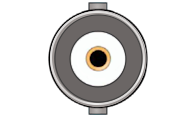
Port on the cameraBNC
Genlock (Tri-Level Sync)

SYNC-OUT

Sync Cable PushPull-5-pin (Lemo-compatible) to BNC

View in shop

Depending on the port: pick one of the two cables.

Note

The Z Cam E2-F6 Pro has a shared BNC connector for timecode and Tri-Level Sync. Therefore only one signal can be used at a time.

Which port on your Lockit box?

CableLockitLockitBTLockit+NanoLockit
LTC-OUTACN port
Red sleeve
TC/DATA port
Red sleeve
ACN port, front left (blue marking)
Red sleeve
5-pin port on top
Red sleeve
SYNC-OUTSYNC port
Yellow sleeve
TC/SYNC port
Yellow sleeve
SYNC port, front right (yellow marking)
Yellow sleeve
–

Find another device



